

Welcome to the final week of the Go-To Resource series 🎉, where I’m sharing my all-time favorite tips, tools, and inspirations that fuel my online sessions.
So far I’ve shared:
Week 1: 📚10 Brilliant Books for Bolder Live Sessions
Week 2: 🧰 10 Free Toolkits I Can’t Live Without
Week 3: 🎙️ 10 Favourite Facilitation Podcasts
And now for the grand finale 🎬 10 Click-Worthy YouTube Videos packed with Zoom hacks, studio tips, and facilitation gold.
Let’s dive right in!
Now, I’ll be honest—I usually try to steer clear of YouTube.
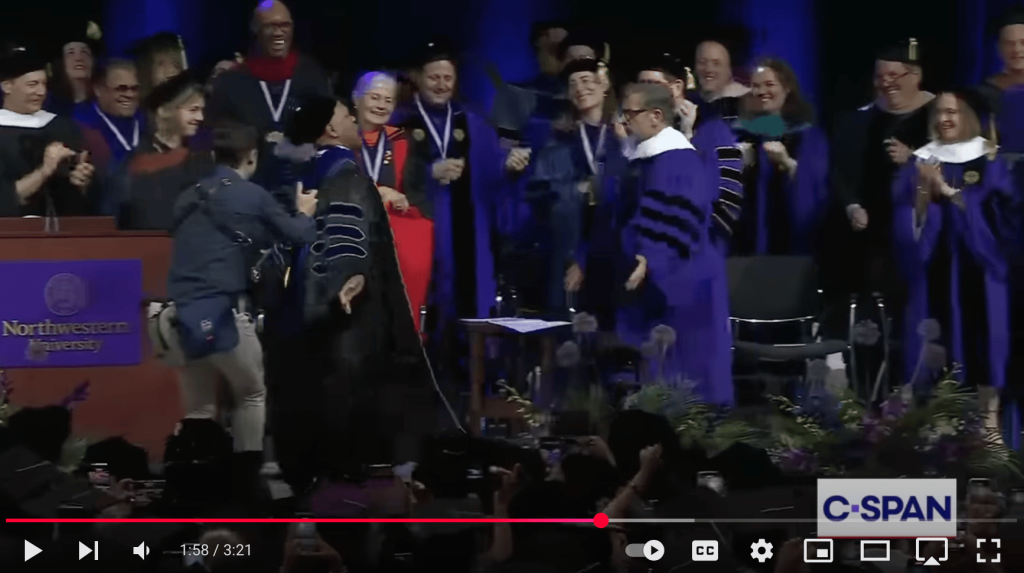
I go in for a quick search on session design… and before I know it I am watching Steve Carell’s dance break at Northwestern’s commencement.
But here’s the thing—YouTubers are masters of engagement.
Yes, there’s clickbait. But if you know where to look, there are hidden gems that can help you:
💡 Find fresh icebreaker ideas
🙌 Keep your group engaged
🎙 Upgrade your home studio
💪 Boost your confidence on camera
I’ve done the sifting so you don’t have to. Here are 10 videos worth your clicks —plus my top 3 takeaways from each 👇
🎬 1. How to Manage Energy in a Remote Workshop – AJ&Smart
Managing the group’s energy in a remote workshop is one of the most challenging things you do when leading live sessions. AJ&Smart facilitator Amr shares tips to keep your participants awake and engaged. 👇

3 takeaways:
👉Bring more energy than you would in person
👉Start with a warm-up
👉Play some workshop music to set the tone
🎬 2. How to Create a Custom Zoom Waiting Room in Minutes with Canva – Tatiana Teaches
Whether you’re an educator, business professional, or meeting host, this guide will help you create a polished waiting room experience. Tatiana breaks down step-by-step how to create an engaging waiting room video in just 7 minutes. 👇

3 takeaways:
👉 A video message can help prep your participants for the session
👉 It differentiates your virtual session from others
👉 Creating and uploading a video message is way easier than you think!
🎬 3. Best Icebreaker: Connection Before Content – Chad Littlefield
So many people have love-hate relationships with icebreakers. In this video, facilitation legend Chad Littlefield offers up a new understanding of icebreakers with practical strategies for getting buy-in from even the grumpy groups.👇

3 takeaways (Chad’s checklist items to score your icebreaker):
👉Does it connect people to each other?
👉Does it connect to the purpose?
👉Does your exercise create a choice for authenticity and vulnerability?
🎬 4. How to deal with difficult participants in meetings – Jan Keck
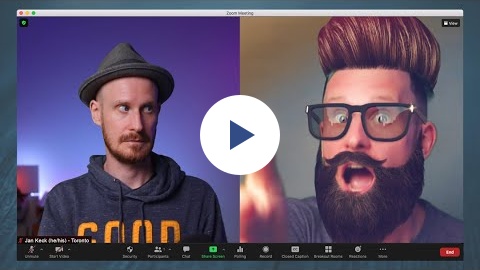
This is a question we often ask ourselves when it’s already too late. In this video, virtual connection pro Jan Keck gives you strategies to handle difficult participants – so you don’t have to figure it out in the moment.👇
3 takeaways:
👉Assess the impact on the group
👉Check in with yourself
👉Respectfully interrupt
🎬 5. Ways to Eliminate Filler Words – Cat Mulvihill
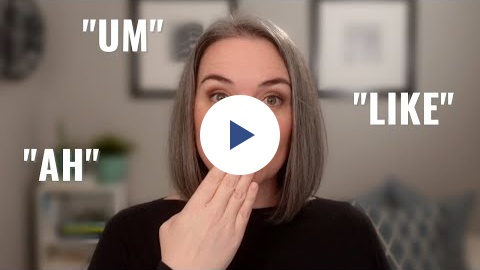
Even after years of leading online sessions, I still struggle with filler words. In this video, virtual presentation expert Cat Mulvihill shares tools and techniques for eliminating them.
3 takeaways:
👉 Practice eliminating filler words with 2 minutes of daily conscious effort
👉 Watch recordings of yourself to identify when you use filler words
👉 Close your mouth between sentences and only speak when you know what to say
🎬 6. How to Be Confident on Camera (5 Tips) – Ali Abdaal

Confidence on camera is crucial when you lead live online sessions. In this video, YouTube sensation Ali Abdaal shares his top 5 tips.
3 takeaways:
👉Ramp up your energy
👉Embrace imperfection
👉Speak with a smile
🎬 7. Studio Design Mistakes You’re Probably Making – Kevin Shen
Your on-camera setup affects trust and connection with your audience. In this video, Kevin Shen from Dream Studio walks you through the common mistakes and how to fix them.

3 Takeaways:
👉 Intentionally design your background to show you care about viewer experience
👉 Avoid clumping items behind you; create space to invite viewers in
👉 Pay attention to backlighting; we need to see your face to build trust
🎬 8. Enhance Zoom Meetings with OBS Studio: 4 Creative Visual Housekeeping Rules – Said Saddouk
Said creates content for creating interactive workshops, webinars, and interactive events that boost audience engagement using digital tools.
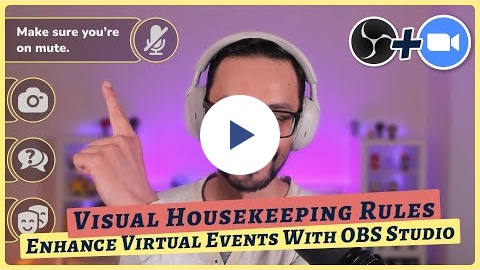
In this video, he shows you how to use OBS to share “housekeeping rules” to share housekeeping rules visually.
3 Takeaways:
👉 Use overlays to make your Zoom screen more engaging
👉 Display housekeeping rules with icons for a visual experience
👉 Make your screen interactive with features like emoji reactions
🎬 9. Boost Your Zoom Presentations with Engaging Slides – Felippe Nardi
Screen sharing can be putting a damper on your engagement by breaking connection. In this video virtual presentation expert Felippe shows you another way to boost engagement, confidence, and production quality of your online sessions.

3 Takeaways:
👉 Use OBS Studio as your screen sharing tool instead of Zoom
👉 You can use OBS to position and resize your image and slide
👉 Using smaller, shorter slides integrated immersively into your screen creates stronger connection with your audience
🎬 10. 5 SIMPLE Tips to Stand Out Like a Pro on Zoom! – Adrian Salisbury
Do you want to look more professional on your video calls? Adrian Salisbury shares 5 practical tips for looking your best on Zoom including best camera angles, flattering lighting, backgrounds and more.

3 Takeaways:
👉 Check your camera angle so that it’s at eye level to improve connection with your audience
👉 Improve your lighting with big flattering soft light and use a USB mic for better sound
👉 Keep your background distraction-free
Over to you! What video did you find most helpful?
What small upgrade are you excited to try in your next live session?
Hit reply to this email and let me know—I’d love to hear.
💌 Thanks for reading The Quest
I always love hearing your feedback and suggestions. Just hit reply to share your thoughts and ideas.
If you were forwarded this email, you can subscribe to The Quest 👉here.
If you enjoy The Quest, I’d appreciate it if you shared it with anyone you think might like it.
Creatively yours,

Whenever you are ready there are 2 more ways I can help you:
👉Custom coaching & team training. Book a free 15-minute zero-commitment call with me to see how I can support you and your team.
👉 Live Session Design Video Course. Live Session Magic gives you a proven system for designing consistently high-quality online sessions. Join the interest list here and be the first to get access.
👉5-week Live Online Course. The Breakthrough Facilitation course gives you tools, personalized feedback, and a proven framework for designing and leading high-engagement live sessions. Join the interest list and be the first to get the next cohort dates and discounts.
