

Welcome to week 4 of the Go-To Resource series 🎉, where I’m sharing my all-time favorite tips, tools, and inspirations that fuel my online sessions.
So far I’ve shared:
Week 1: 📚10 Brilliant Books for Bolder Live Sessions
Week 2: 🧰 10 Free Toolkits I Can’t Live Without
Week 3: 🎙️10 Favourite Facilitation Podcasts
This week, we’re heading to YouTube. 🎬
Let’s dive right in!
Now, I’ll be honest—I usually try to avoid YouTube.
Because I go in for one quick search on session design…
And 37 minutes later, I’m watching Chris Martin tell Ellen about visiting his daughter at her first job. 😅
But here’s the thing—YouTubers are masters of engagement.
Yes, there’s clickbait. Yes, there are rabbit holes. And yes, the algorithm has absolutely no respect for your calendar.
But if you know where to look, YouTube has some true gems that can help you:
💡 Find fresh icebreaker ideas
🙌 Keep your group engaged
🎙 Upgrade your home studio
💪 Boost your confidence on camera
The problem? Finding the good stuff takes time.
So I’ve done the sifting for you.
Here are 10 videos worth your clicks—plus my top 3 takeaways from each. 👇
🎬 1. How to Manage Energy in a Remote Workshop – AJ&Smart
When group energy drops online, even your best-designed workshop can start to feel like a slog.
AJ&Smart facilitator Amr shares tips to keep your participants awake and engaged. LINK
3 takeaways:
👉Bring more energy than you would in person
👉Start with a warm-up
👉Play some workshop music to set the tone
🎬 2. How to Create a Custom Zoom Waiting Room in Minutes with Canva – Tatiana Teaches
A generic Zoom waiting room is a missed chance to spark engagement before your session even starts.
In this video, Tatiana shows you how to create a polished, engaging waiting room video in Canva in just 7 minutes. LINK
3 takeaways:
👉 A video message can help prep your participants for the session
👉 It differentiates your virtual session from others
👉 Creating and uploading a video message is way easier than you think!
🎬 3. Best Icebreaker: Connection Before Content – Chad Littlefield
So many people have love-hate relationships with icebreakers.
In this video, facilitation legend Chad Littlefield offers up a new understanding of icebreakers with practical strategies for getting buy-in from even the grumpy groups. LINK.
3 takeaways (Chad’s checklist items to score your icebreaker):
👉Does it connect people to each other?
👉Does it connect to the purpose?
👉Does your exercise create a choice for authenticity and vulnerability?
🎬 4. How to deal with difficult participants in meetings – Jan Keck
Difficult participants are easy to plan for… until you’re dealing with one live on Zoom.
In this video, virtual connection pro Jan Keck gives you strategies to handle tricky participant dynamics – so you don’t have to figure it out in the moment. LINK

3 takeaways:
👉Assess the impact on the group
👉Check in with yourself
👉Respectfully interrupt
🎬 5. Ways to Eliminate Filler Words – Cat Mulvihill
Even after years of leading online sessions, I still struggle with filler words.
In this video, virtual presentation and momentum expert Cat Mulvihill shares practical techniques to help you notice, reduce, and eliminate them. LINK

3 takeaways:
👉 Practice eliminating filler words with 2 minutes of daily conscious effort
👉 Watch recordings of yourself to identify when you use filler words
👉 Close your mouth between sentences and only speak when you know what to say
🎬 6. How to Be Confident on Camera (5 Tips) – Ali Abdaal
Camera confidence matters more than we think when we’re leading live online sessions.
In this video, YouTube sensation Ali Abdaal shares 5 practical tips to help you feel more natural, clear, and confident on camera. LINK

3 takeaways:
👉Ramp up your energy
👉Embrace imperfection
👉Speak with a smile
🎬 7. Studio Design Mistakes You’re Probably Making – Kevin Shen
Your on-camera setup can quietly shape how much people trust and connect with you.
In this video, Kevin Shen from Dream Studio walks through common setup mistakes—and simple fixes to help you look and feel more polished on camera. LINK

3 Takeaways:
👉 Intentionally design your background to show you care about viewer experience
👉 Avoid clumping items behind you; create space to invite viewers in
👉 Pay attention to backlighting; participants need to see your face to build trust
🎬 8. Enhance Zoom Meetings with OBS Studio: 4 Creative Visual Housekeeping Rules – Said Saddouk
Housekeeping rules can feel dry, but they set the tone for how people participate.
In this video, Said Saddouk shows how to use OBS Studio to turn basic Zoom housekeeping into clear, creative visuals that boost engagement. LINK

3 Takeaways:
👉 Use overlays to make your Zoom screen more engaging
👉 Display housekeeping rules with icons for a visual experience
👉 Make your screen interactive with features like emoji reactions
🎬 9. Facilitation Tools and Techniques for Engaging Quiet Participants – Kerri Price
Quiet participants aren’t always disengaged—they may just need a different kind of invitation.
In this video, facilitation pro Kerri Price shares why people stay quiet and the 5 “spaces” you can create so more voices contribute. Link.

3 Takeaways:
👉 Engaging quiet participants is about the environment you create
👉 5 spaces you need to create – safe space, pondering space, aligned space, contained space, engaging space
👉 Ask a question and wait 10 heartbeats for a response
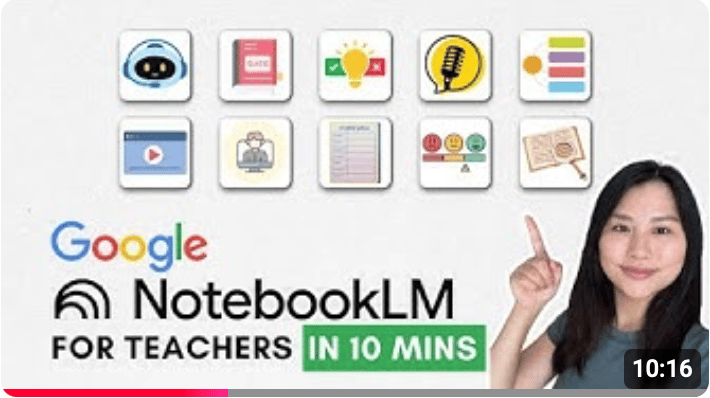
🎬 10. NotebookLM for Teachers in 10 Minutes – Classnotes with Nicole
AI tools can feel exciting… right up until you’re staring at a blank screen wondering what to actually do with them.
In this video, teacher and tech creator Nicole shares 10 practical ways to use NotebookLM to create resources and enhance learning. LINK
3 Takeaways:
👉 Quick ways to create flash cards and quizzes and share with participants
👉 Reports, study guides, briefing docs, mindmaps
👉 Video and audio overviews — and interacting with AI podcast hosts
Over to you! What video did you find most helpful?
What small upgrade are you excited to try in your next live session?
Hit reply to this email and let me know—I’d love to hear.
Coming up in the 5-week Go-To Resource series:
Week 5 –> 🤖 AI Tools for Trainers.
I’m putting together a brand new go-to resource pack with the AI tools I’m actually using to save time, spark ideas, design better sessions, while avoiding “workshop slop” (those bland AI generated activities and ideas that fall flat in a real room).
Stay tuned!
💌 Thanks for reading The Quest
I always love hearing your feedback and suggestions. Just hit reply to share your thoughts and ideas.
If you were forwarded this email, you can subscribe to The Quest 👉here.
If you enjoy The Quest, I’d appreciate it if you shared it with anyone you think might like it.
Creatively yours,

Whenever you are ready there are 2 more ways I can help you:
👉Custom coaching & team training. Book a free 15-minute zero-commitment call with me to see how I can support you and your team.
👉 Live Session Design Video Course. Live Session Magic gives you a proven system for designing consistently high-quality online sessions. Join the interest list here and be the first to get access.
👉5-week Live Online Course. The Breakthrough Facilitation course gives you tools, personalized feedback, and a proven framework for designing and leading high-engagement live sessions. Join the interest list and be the first to get the next cohort dates and discounts.
